
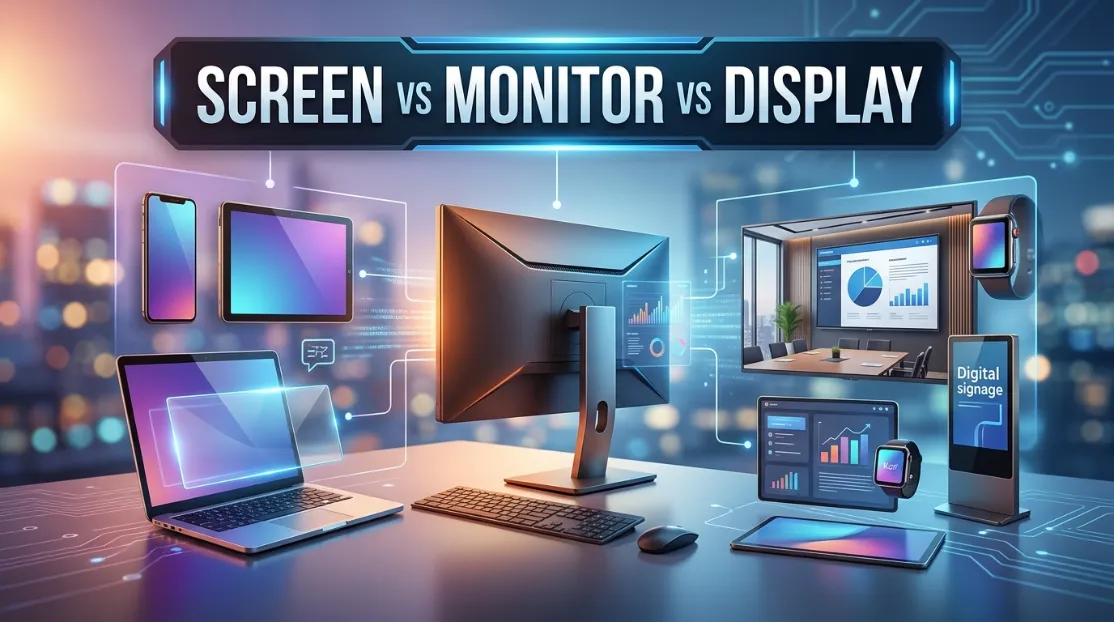
People often use screen vs monitor vs display as if they all mean exactly the same thing. In everyday conversations, that usually causes no problems. However, when you’re buying technology, writing technical documentation, comparing devices, or discussing hardware specifications, the differences become important.
Understanding the distinction between a screen, monitor, and display helps you communicate more accurately. It also prevents confusion when reading product descriptions, troubleshooting devices, or comparing electronics. While the three words overlap in many situations, each has its own meaning depending on context. Learning those differences makes your language more precise and your technology knowledge stronger.
Here’s the simple truth.
A display is the broadest term. A screen usually refers to the visible surface you look at. A monitor is a complete external display device designed to connect to a computer or another source.
Let’s break everything down.
The Core Rule Explained Simply: Screen vs Monitor vs Display
The easiest way to remember the difference is to think from largest meaning to smallest meaning.
- Display is the general technology that shows visual information.
- Screen is the physical viewing surface.
- Monitor is a complete hardware device that includes a display and supporting electronics.
Here’s another way to picture it.
Every monitor contains a display and a screen.
Not every screen is a monitor.
Not every display is a monitor either.
Once you understand this hierarchy, the terminology becomes much easier.
Display, The Broad Category
A display is anything that presents visual information.
It can be built into a smartphone, smartwatch, laptop, television, airplane dashboard, medical equipment, digital sign, gaming console, or vehicle. The word describes the technology responsible for showing images, text, graphics, or video.
Examples include:
- OLED display
- LCD display
- Retina display
- Touch display
- Digital display
- LED display
Notice something?
None of these necessarily describe the entire device. They simply describe the visual output system.
Screen and Monitor, The Specific Terms
A screen usually refers to the viewing surface itself.
People naturally say:
- My phone screen cracked.
- Clean your laptop screen.
- The screen is too bright.
- Touch the screen.
Here, nobody is referring to the complete electronic system. They mean the visible surface.
A monitor, meanwhile, is an external computer display unit.
For example:
- Buy a 27-inch monitor.
- Connect the monitor with HDMI.
- My gaming monitor supports 240Hz.
- Dual monitors improve productivity.
Here, the word describes the complete hardware device.
Side-by-Side Comparison Table
| Situation | Screen | Monitor | Display |
| Refers to viewing surface | ✔ Yes | Sometimes | Sometimes |
| Complete external computer device | No | ✔ Yes | Sometimes |
| General technology term | Rarely | No | ✔ Yes |
| Smartphone | Phone screen | No | Phone display |
| Laptop | Laptop screen | Usually no | Laptop display |
| Gaming PC | Screen (casual) | ✔ Monitor | Display |
| Medical equipment | Screen | Rare | Display |
| TV discussion | TV screen | Rare | Television display |
| Marketing specifications | Sometimes | Sometimes | ✔ Most common |
| Engineering documentation | Less common | Device-specific | ✔ Preferred |
Deep Dive into Category 1
Understanding “Screen”
The word screen focuses on what you actually look at.
It usually means the physical surface where images appear. People naturally use it when discussing damage, size, brightness, fingerprints, glare, or touch interaction.
Examples include:
- The screen has scratches.
- My screen is dirty.
- This screen is easier to read outdoors.
- The screen stopped responding to touch.
- Replace the cracked screen.
Notice the pattern.
The conversation centers on the visible surface rather than the complete hardware.
When “Screen” Is the Best Choice
Choose screen when discussing:
- Physical condition
- Cleaning
- Touch interaction
- Brightness
- Reflection
- Cracks
- Protective films
- Viewing area
For example:
Correct:
- The laptop screen needs replacement.
- My tablet screen is cracked.
- Increase your screen brightness.
Less natural:
- My tablet monitor is cracked.
Quick Test
Use screen if you’re talking about:
- ✔ Something you can physically touch
- ✔ A crack
- ✔ Smudges
- ✔ Brightness
- ✔ Size of the viewing area
- ✔ Screen protector
If yes, screen is probably correct.
Deep Dive into Category 2
Understanding “Monitor”
A monitor is a standalone hardware device that connects to another system.
It includes:
- A display panel
- Internal electronics
- Input ports
- Power circuitry
- Housing
- Controls
It is much more than the visual panel alone.
Typical examples include:
- Gaming monitor
- Office monitor
- Professional color monitor
- Ultrawide monitor
- Portable monitor
When “Monitor” Is Correct
Use monitor when discussing:
- Buying computer hardware
- Resolution
- Refresh rate
- Connectivity
- External displays
- Computer workstations
Examples:
- This monitor supports DisplayPort.
- I upgraded my monitor.
- The monitor has built-in speakers.
- My monitor runs at 165Hz.
Here, you’re referring to the complete device.
Common Patterns
You will frequently see:
- 4K monitor
- Curved monitor
- HDR monitor
- Gaming monitor
- IPS monitor
- OLED monitor
These describe entire products.
The Meaning Shift
Although the words overlap, they create slightly different meanings.
Consider these sentences.
“My monitor is broken.”
This suggests the whole device has a problem.
“My screen is broken.”
This usually means the viewing surface is cracked or damaged.
“My display isn’t working.”
This is broader.
The issue could involve:
- Software
- Display driver
- Display cable
- Display panel
- Graphics card
- Internal hardware
The exact cause remains unclear.
That’s why technicians often prefer displays during diagnosis.
Another example:
“The display flickers.”
This could involve hardware, firmware, graphics drivers, or cables.
“The screen flickers.”
Many people imagine the visible image itself flickering.
The meanings are close, but the emphasis changes.
Why the Confusion Persists: Screen vs Monitor vs Display
Several reasons explain why these words get mixed together.
First, manufacturers use them differently.
Product pages frequently alternate between:
- Display
- Screen
- Monitor
Sometimes within the same description.
Second, casual conversation simplifies terminology.
Someone buying a monitor might say:
“I need a new screen.”
Everyone understands.
Third, smartphones changed language.
People constantly hear phrases like:
- Screen time
- Screen recording
- Screen lock
- Screen protector
As a result, screen became the everyday default.
Fourth, modern devices combine everything.
A laptop has:
- A screen
- A display
- Built-in electronics
Since these components are integrated, people naturally blur the distinctions.
Formal vs Casual Contexts
Language changes depending on the situation.
Casual Conversation
Friends often say:
- Nice screen.
- Bigger screen.
- My screen froze.
- Look at your screen.
Nobody worries about technical precision.
Workplace Communication
IT professionals often distinguish between:
- Internal display
- External monitor
- Screen sharing
- Display settings
Precision improves communication.
Academic Writing
Engineering papers typically favor display because it covers all display technologies.
For example:
- Flexible displays
- Organic displays
- Transparent displays
Product Marketing
Retailers often use all three terms strategically.
Example:
- 15.6-inch display
- Anti-glare screen
- Portable monitor
Each word emphasizes a different feature.
Case Studies / Pop Culture Examples
Technology companies illustrate these differences well.
Smartphone advertisements often highlight a device’s display.
They describe:
- OLED display
- AMOLED display
- HDR display
- High-resolution display
Repair shops usually advertise screen replacement.
Customers immediately understand what needs fixing.
Gaming communities almost always discuss monitors.
Typical conversations include:
- Best gaming monitor
- Ultrawide monitor
- Dual monitor setup
- Monitor calibration
Movie reviewers may describe:
- Beautiful display quality
- Stunning screen colors
Meanwhile, office workers commonly say:
- Connect another monitor.
- My second monitor stopped working.
Different industries naturally favor different terminology.
Advanced Scenarios & Flowchart
Sometimes choosing the right word isn’t obvious.
Use this simple decision guide.
Is it an external computer device?
Yes → Use monitor
No →
Are you discussing the visible surface?
Yes → Use screen
No →
Are you discussing visual technology, image quality, specifications, or electronics?
Yes → Use display
No →
Choose the term that best fits the surrounding context.
Examples:
“I cleaned my…”
→ Screen
“I bought a new…”
→ Monitor
“This phone has an OLED…”
→ Display
“My computer detects a second…”
→ Monitor
“The display supports HDR.”
→ Display
“The screen has fingerprints.”
→ Screen
Quick Reference Table
| If You Mean… | Use This Word |
| Physical viewing surface | Screen |
| External computer device | Monitor |
| Visual technology | Display |
| Touch surface | Screen |
| Gaming hardware | Monitor |
| OLED technology | Display |
| Cracked glass | Screen |
| Refresh rate of external device | Monitor |
| Display specifications | Display |
| Cleaning the viewing area | Screen |
Common Mistakes That Lower Quality
Even experienced writers and technology enthusiasts occasionally misuse these terms.
One frequent mistake is calling every visual device a monitor. Smartphones, tablets, and televisions generally are not referred to as monitors because they are complete computing or entertainment devices rather than external computer displays.
Another common error is using screens when discussing display technology. Saying “OLED screen technology” is understandable, but “OLED display technology” is usually more accurate because the technology extends beyond the visible surface.
Many people also write “replace the monitor” when they actually mean replacing only the damaged panel or glass. In repair contexts, screen replacement is normally the correct phrase.
Some writers avoid the word display altogether. This reduces precision, especially when discussing resolution, brightness, color accuracy, panel technology, or display drivers.
Another mistake appears in technical documentation. Switching randomly between screen, monitor, and display without considering their meanings creates inconsistency and can confuse readers.
Memory Hacks That Actually Work
Simple memory tricks make these distinctions much easier to remember.
Think of a screen as something you can touch. If your finger can reach it, the word probably fits.
Think of a monitor as something sitting on a desk. Picture a computer workstation with one or two large external displays.
Think of display as the umbrella term. It covers every technology that presents images, regardless of the device.
Another useful shortcut is remembering this phrase:
Touch the screen. Buy the monitor. Improve the display.
It naturally matches how each word is commonly used.
You can also imagine three nested circles.
The biggest circle is displayed.
Inside it sits a screen.
Inside the complete hardware category sits a monitor.
Visualizing the relationship helps reinforce the hierarchy.
Why Precision Matters: Screen vs Monitor vs Display
Using the correct terminology improves more than grammar. It strengthens authority and credibility.
Readers quickly notice when technical writing uses accurate language. Product reviews become more trustworthy because they distinguish between a display panel, a screen surface, and an entire monitor.
Search engines also reward content that matches user intent. Someone searching for a gaming monitor expects recommendations about external computer hardware, while someone searching for screen replacement usually wants repair information. Likewise, users researching OLED display technology want explanations about image quality and panel design rather than shopping advice for monitors.
Precise wording also reduces misunderstandings in customer support, education, journalism, engineering, and technical documentation. When everyone shares the same vocabulary, troubleshooting becomes faster, purchasing decisions become easier, and written content appears more professional.
Ultimately, mastering screen vs monitor vs display demonstrates careful communication. That attention to detail builds confidence with readers, clients, colleagues, and search engines alike.
A Quick Quiz
Fill in the blanks using screen, monitor, or display.
- The laptop ________ has a noticeable crack near the corner.
- I bought a new 32-inch gaming ________ for my desktop computer.
- This smartphone features an AMOLED ________ with excellent color accuracy.
- Clean your tablet ________ before applying the protector.
- The computer detects two external ________ during startup.
- Engineers tested the brightness of the new OLED ________.
- My office ________ supports a 240Hz refresh rate.
- The touch ________ stopped responding after the device fell.
Answer Key
- screen
- monitor
- display
- screen
- monitors
- display
- monitor
- screen
Here’s the requested continuation of your article.
Conclusion
Choosing between screen vs monitor vs display is much easier once you understand what each term actually represents. Although they are often used interchangeably in casual conversation, they are not true synonyms in technical writing or product descriptions. A screen is generally the physical surface you look at or touch, a monitor is a complete external display device used with computers, and a display is the broadest term that refers to the technology responsible for presenting visual information. Knowing these distinctions helps you read specifications more accurately, compare devices with confidence, and communicate clearly with technicians, retailers, and fellow technology users. Whether you’re buying new hardware, writing reviews, or simply discussing electronics, using the correct word instantly improves clarity and professionalism.
The importance of precision extends beyond grammar. Accurate terminology builds trust, especially in industries where technical details matter. Search engines, educators, IT professionals, and manufacturers often rely on these distinctions to avoid ambiguity. While everyday conversations may tolerate overlap between the three words, understanding their individual meanings allows you to explain technology more effectively and avoid costly misunderstandings when purchasing or repairing devices. The next time you compare laptops, choose a gaming setup, or troubleshoot a computer, remember the simple hierarchy: display is the broad category, screen is the viewing surface, and monitor is the complete external hardware. Mastering this rule is a small change that produces clearer communication every time.
Frequently Asked Questions
Is every monitor also a display?
Yes. Every monitor includes a display, because its primary purpose is to present visual information. However, a monitor is more than just the display panel. It also contains internal electronics, input ports, a power system, and a protective enclosure. That’s why a monitor is considered a complete hardware device, while the display is only one of its major components.
Can I use “screen” and “display” interchangeably?
In many casual conversations, you can use screen and display interchangeably without causing confusion. However, they have slightly different meanings. A screen usually refers to the visible surface you look at or touch, whereas display often refers to the underlying technology or visual output system. Technical writing generally favors “display” because it is more precise.
Why do manufacturers usually say “display” instead of “screen”?
Manufacturers prefer display because it sounds more technical and accurately describes the imaging technology. Product specifications often discuss display resolution, brightness, color accuracy, refresh rate, and panel type. These characteristics relate to the display system rather than only the physical viewing surface, making “display” the more appropriate marketing and engineering term.
Is a laptop screen considered a monitor?
Generally, no. Although a laptop contains display hardware similar to a monitor, the built-in viewing area is usually called the laptop screen or laptop display. The word monitor is commonly reserved for standalone external display devices that connect to computers. Referring to a laptop’s built-in panel as a monitor is uncommon in everyday and professional usage.
Which term should I use when buying computer hardware?
If you’re shopping for an external display device for a desktop computer, use a monitor. Retailers categorize products as gaming monitors, office monitors, ultrawide monitors, or professional monitors. Using the correct term helps you find relevant products, compare specifications accurately, and avoid confusion with laptops, tablets, or televisions that have built-in displays.
What does “display technology” actually mean?
Display technology refers to the methods and components used to create images on electronic devices. Examples include LCD, LED, OLED, AMOLED, Mini-LED, and MicroLED technologies. These technologies determine image quality, brightness, contrast, power efficiency, and color performance. The phrase describes the visual system itself rather than the entire device or just the viewing surface.
Why do repair shops advertise “screen replacement” instead of “display replacement”?
Repair businesses commonly advertise screen replacement because that phrase is familiar to most customers. People naturally associate cracked glass, touch problems, and visible damage with the word “screen.” While technicians may replace the entire display assembly, using “screen replacement” makes the service easier for consumers to recognize and search for online.
Which word is best for technical writing?
For formal documentation, display is usually the safest and most accurate choice because it covers the complete visual output system. When referring specifically to external computer hardware, use monitor. If discussing the physical viewing surface, such as scratches, fingerprints, or touch sensitivity, use screen. Selecting the appropriate word improves consistency and reduces ambiguity.
Do televisions have screens or displays?
The answer depends on what you’re describing. If you’re referring to the visible surface, screen is the natural choice. If you’re discussing image technology, resolution, HDR support, or panel quality, display is generally more accurate. Most people rarely call a television a monitor, unless it is specifically designed to function as a computer monitor.

Daniel Carter is a passionate English writer dedicated to making language learning simple, practical, and engaging. At Grammar Alpha, he shares clear and reliable insights on grammar, vocabulary, word meanings, sentence structure, and everyday English usage. His easy-to-follow articles help students, professionals, and language learners strengthen their writing and communication skills. With a strong focus on clarity and accuracy, Daniel turns complex English concepts into useful lessons, empowering readers to write with confidence, speak naturally, and use English effectively every day.